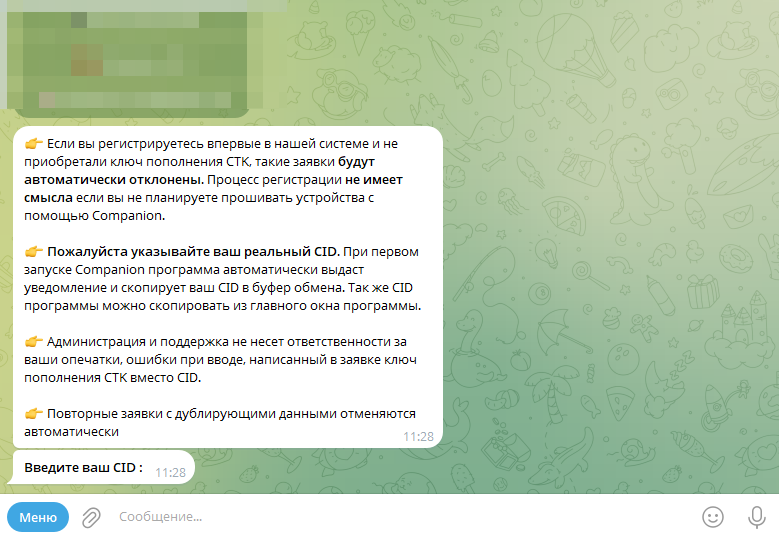
CID registration is completed by submitting a formal request through the designated bot @circle_os_store_bot.
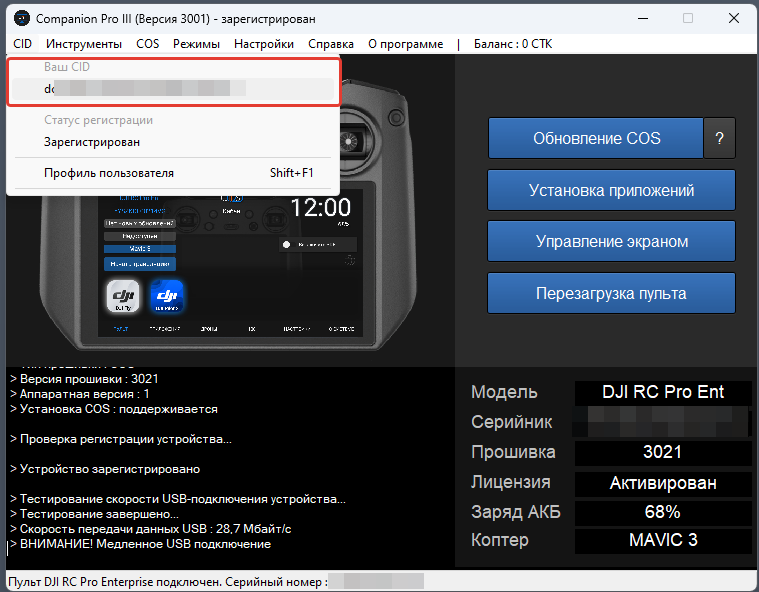
The CID is a unique hardware identifier utilized for program registration, CTK token transfers, and the issuance of a streaming VPN certificate.
The CID is a unique hardware identifier utilized for program registration, CTK token transfers, and the issuance of a streaming VPN certificate.
Video Guide
Companion Registration
Launch Companion on your PC.
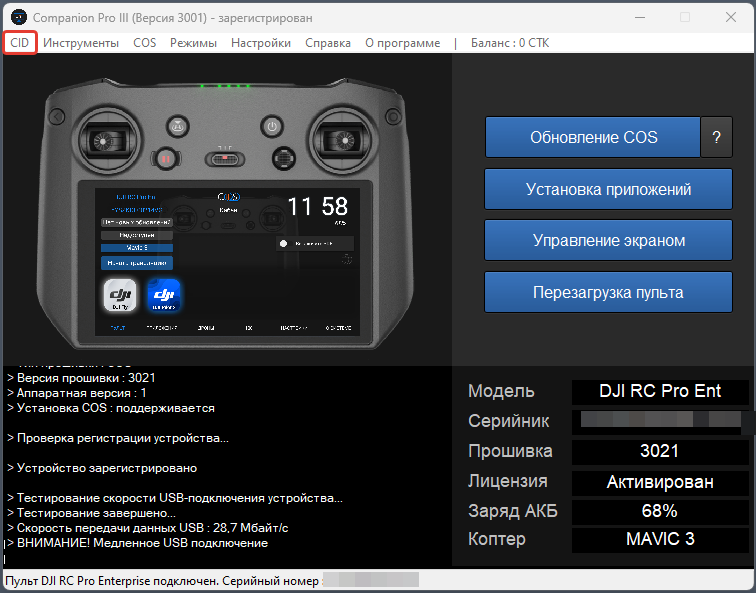
Copy your unique CID.
Submit a registration request with the program CID via the bot @circle_os_store_bot.
Navigate to your PA within the bot.
Navigate to your PA within the bot.
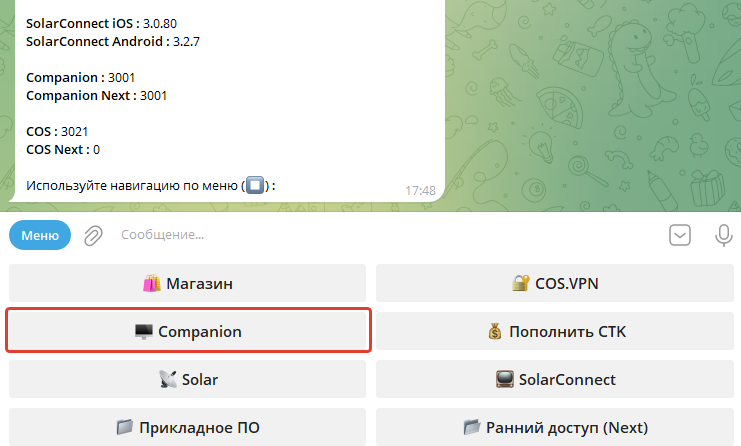
Tap Companion, then select "Register CID".
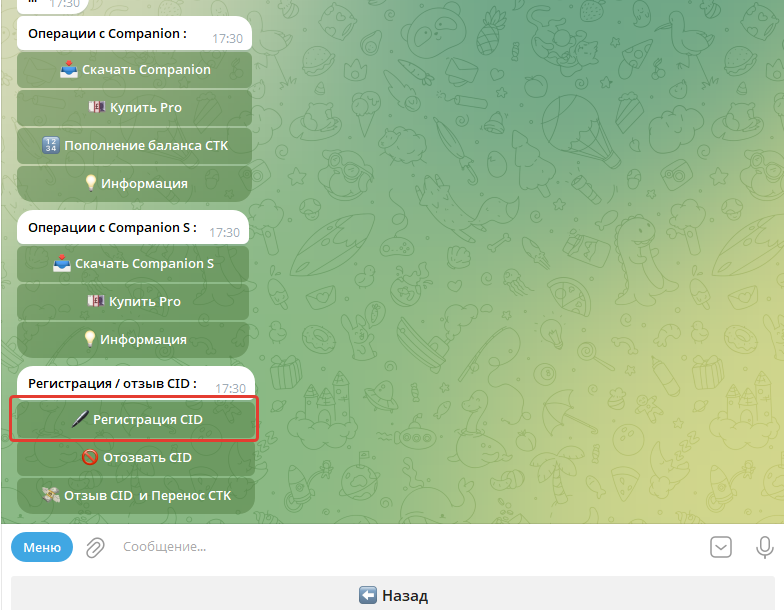
Important Notice: Ensure the registration request contains the actual CID. Do not submit purchased voucher codes as part of this request.
Once entered, the CID will be processed and the program will be registered automatically.