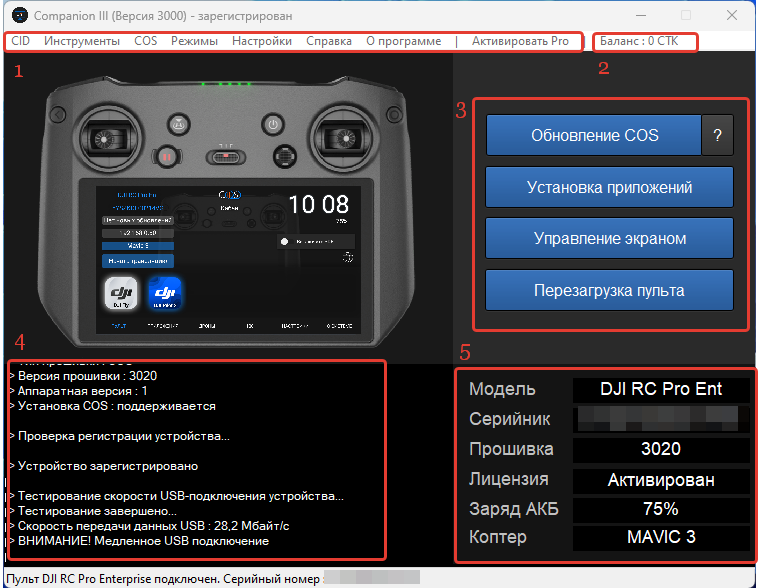
The main screen displays the following interface elements:
Menu bar sections:
- Menu bar
- Account balance
- Core Tools for controller management and device firmware operations
- Status bar
- Controller Information Panel
Menu bar sections:
- CID — Displays the program's unique Client ID and its current registration status.
- Tools — Contains essential utilities including DJI drivers, the firmware library, an add-ons manager, and additional software tools.
- COS — Provides access to specialized service and system maintenance features.
- Modes — Allows you to select the program's operational mode. Detailed information is available in the corresponding section.
- Settings — Configuration menu for the program's parameters. Details can be found in the settings guide.
- Help — Offers quick links to the project website, knowledge base, support chat, and the COS Store.
- About — Shows the current version of the Companion application.
- Activate Pro — Enables the Pro version of Companion using a valid activation key.