The system enables wireless file access to the remote controller's storage via the FTP protocol.
Initial Setup:
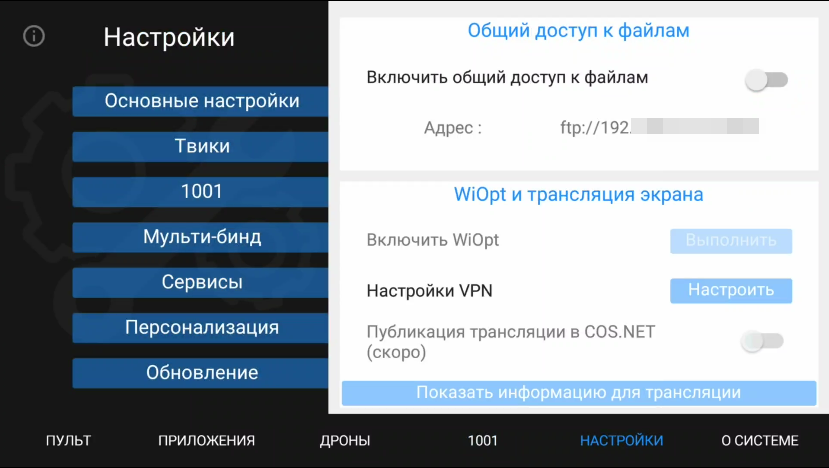
Navigate to System settings and activate the "Enable file sharing" option.
Navigate to System settings and activate the "Enable file sharing" option.
Use a standard FTP client application (e.g., FileZilla) to establish a connection and manage files.
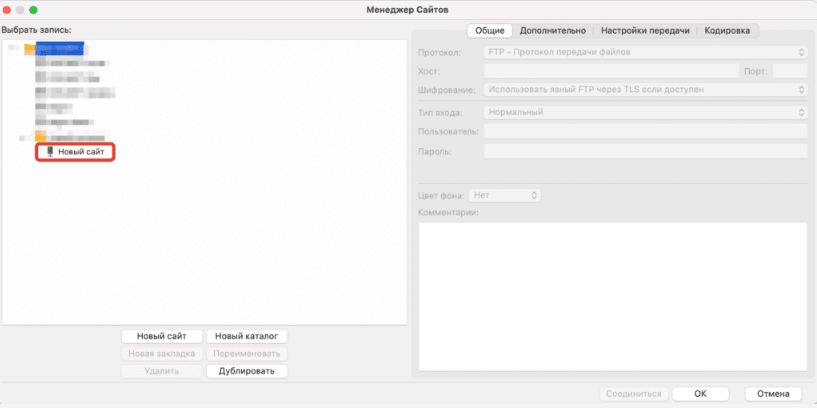
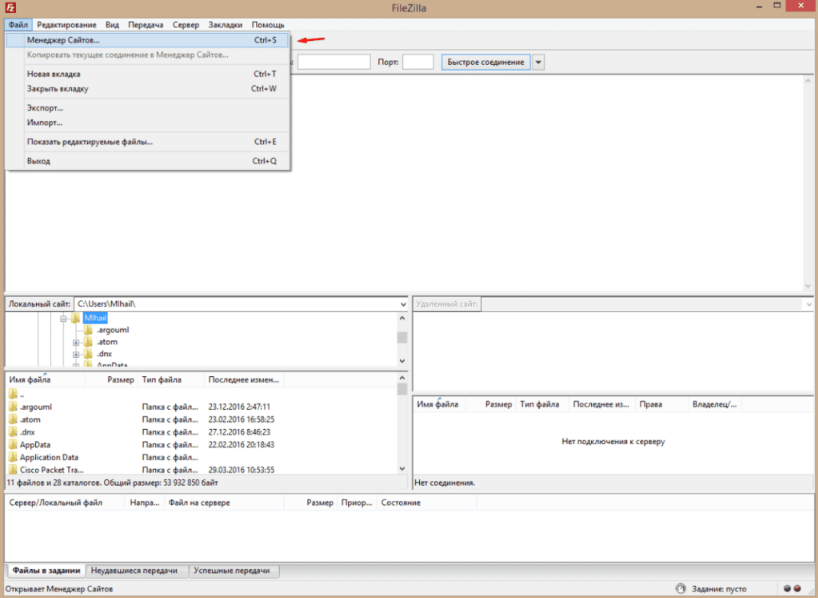
Proceed to configure the FTP connection within FileZilla. For efficient future access, navigate to File → Site manager or use the shortcut Ctrl+S. Select New site in the dialog window that appears.
Assign a recognizable name to the connection profile. For demonstration purposes, "New site" is used. Configure the connection parameters on the right by entering the remote controller's details.
The Server name (Host) and Port are located in the device's Settings menu. Set the Login type to Anonymous.
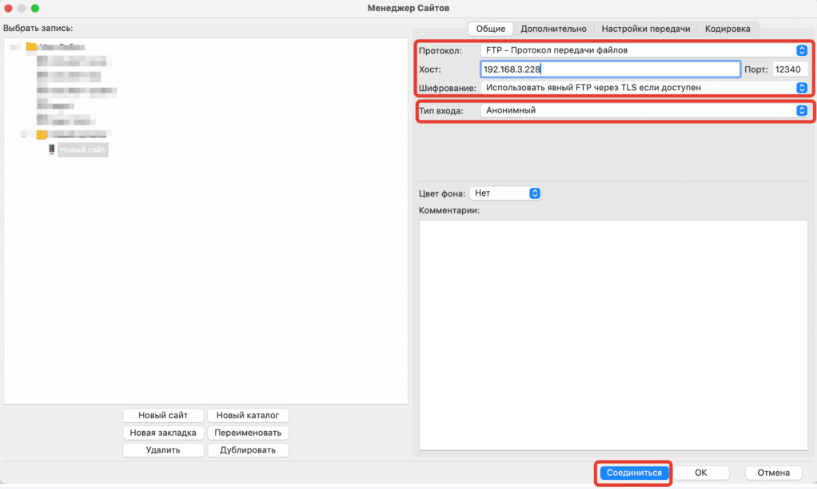
Upon entering all required information, select Connect to establish the session. Subsequent connections will not require credential re-entry; select the saved profile from the list to reconnect.