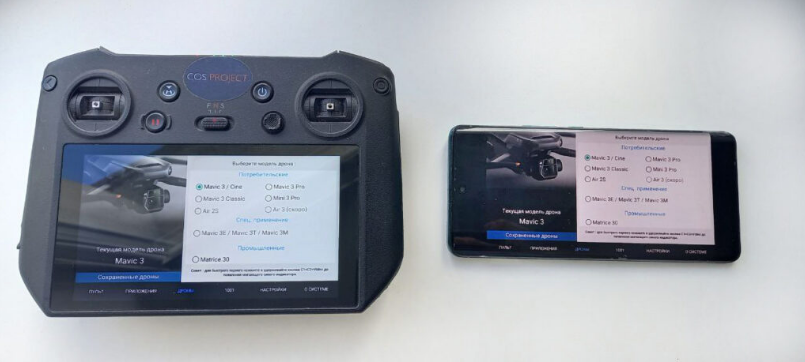
The Control Operating System (COS) enables real-time video streaming from the DJI remote controller to compatible Android, Android TV, and iOS devices via Wi-Fi using the Solar Connect protocol. Additionally, streaming to Windows-based laptops and desktop computers is supported through the Companion application via Wi-Fi or USB connection.
Control input is fully mirrored on tablet devices, replicating touchscreen interactions from the controller. On Windows platforms, control is executed using standard mouse input.
Under optimal conditions with a stable Wi-Fi 6 network connection, latency is guaranteed not to exceed 35–40 ms.
Video Tutorial
Establish a Wi-Fi network connection for the remote controller.
Control input is fully mirrored on tablet devices, replicating touchscreen interactions from the controller. On Windows platforms, control is executed using standard mouse input.
Under optimal conditions with a stable Wi-Fi 6 network connection, latency is guaranteed not to exceed 35–40 ms.
Video Tutorial
Establish a Wi-Fi network connection for the remote controller.
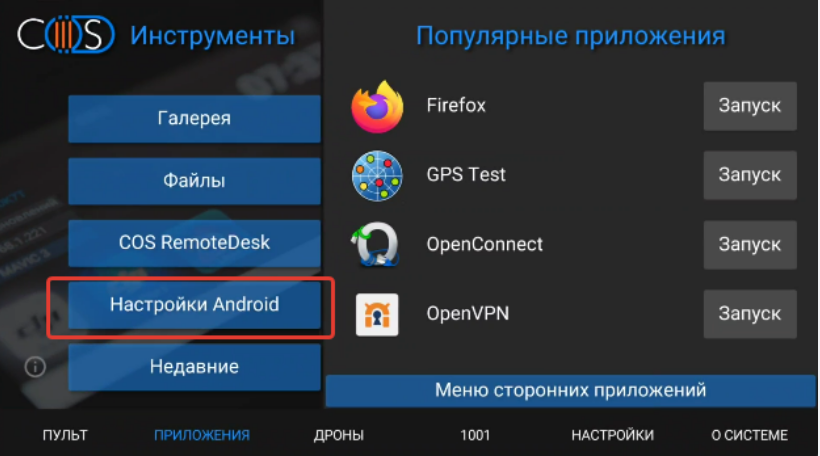
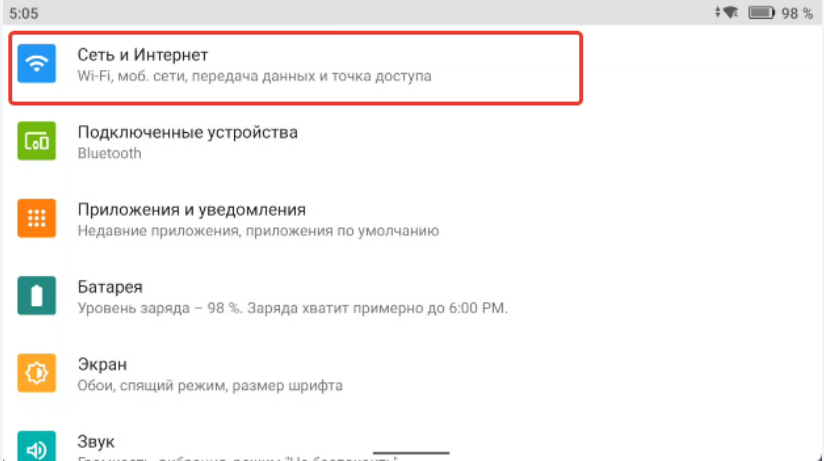
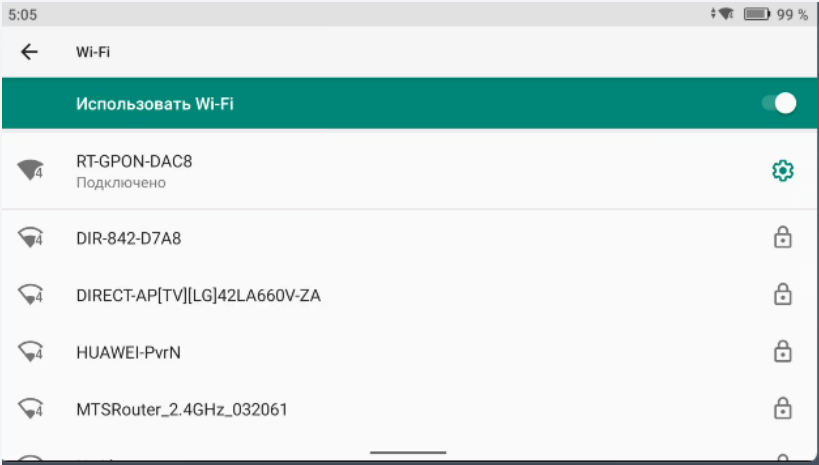
Attention: The receiving tablet device and the controller must be connected to the same Wi-Fi network.
Launch the Solar Connect application on the target device and select the "Standalone Streaming" mode.
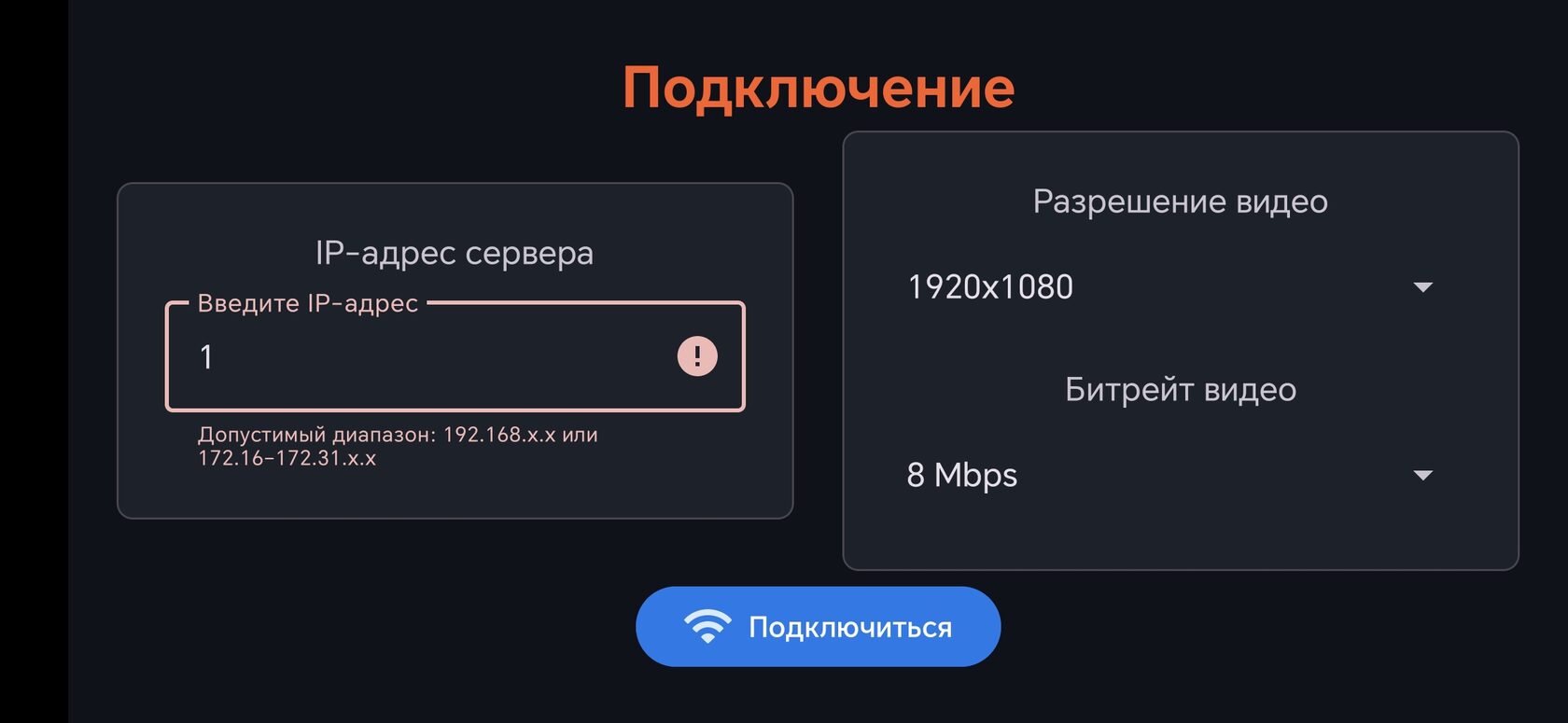
Input the controller's IP address. Subsequently, select the appropriate video resolution and bitrate settings based on available network bandwidth.
Input the controller's IP address. Subsequently, select the appropriate video resolution and bitrate settings based on available network bandwidth.
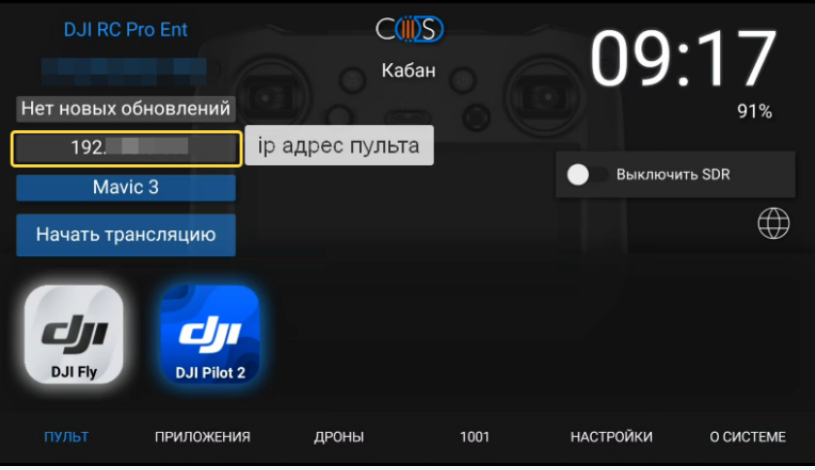
Initiate the streaming session by selecting the "CONNECT" button.