WARNING! The controller must be fully activated before beginning the firmware installation.
Video guide
- Purchase 2 STK via our bot @circle_os_store_bot — the STK balance will update automatically.
- Connect the controller to your PC. After the controller loads, wait about 1 minute (check the battery and perform a full device reset).
- Click the “Register” button.
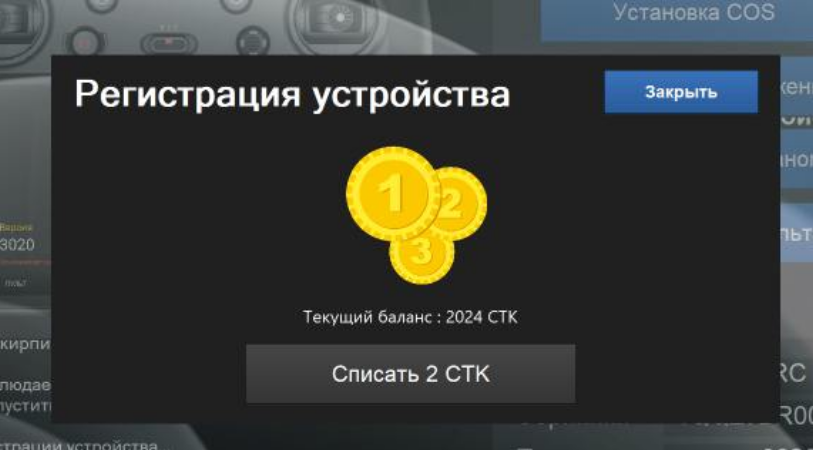
- Deduct 2 STK for registering the controller.
In the Companion window, click the “Install/Update” button.
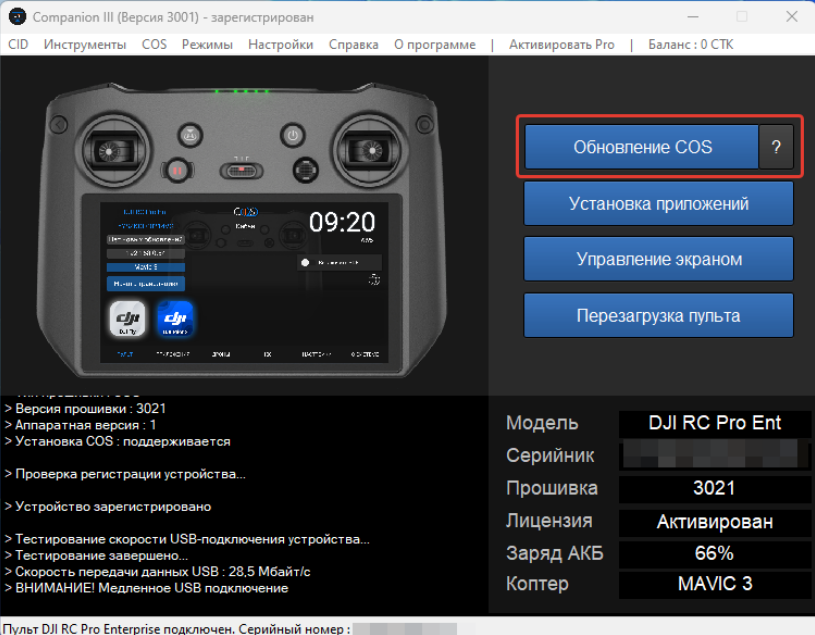
Companion Main Screen
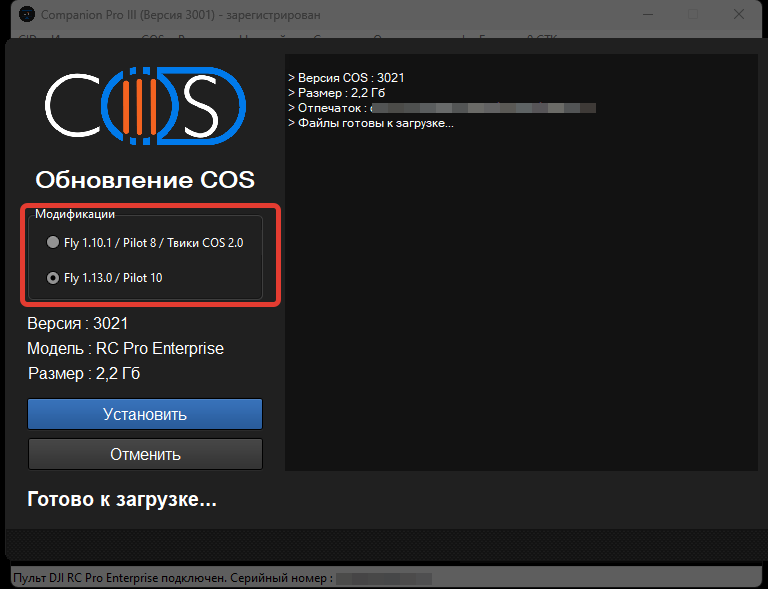
Starting with Companion version 3000, select the modification:
- Fly 1.13.0 / Pilot 10 — main version of ONE application
- Fly 1.10.1 / Pilot 8 / ONE 2.0 tweaks — Older application versions including legacy tweaks from ONE 2.0.
Next, click “Install” and allow the process to complete.
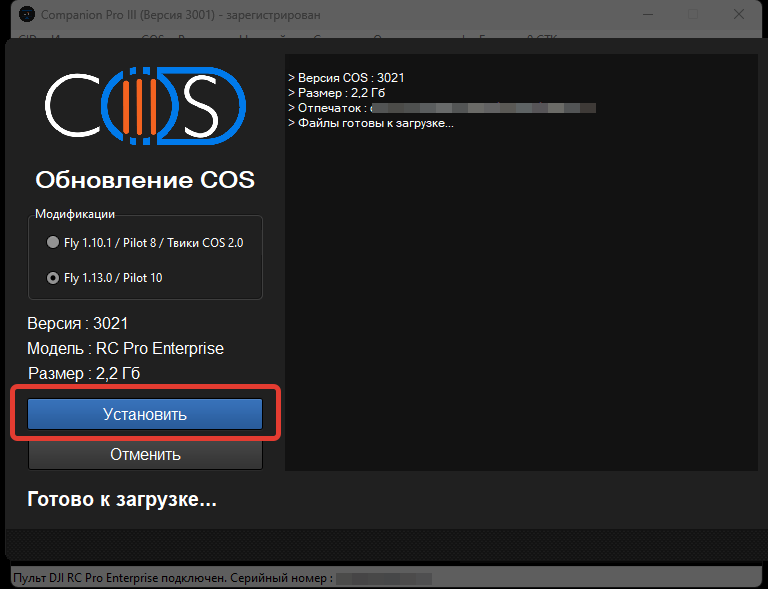
This will erase all existing data on the controller.
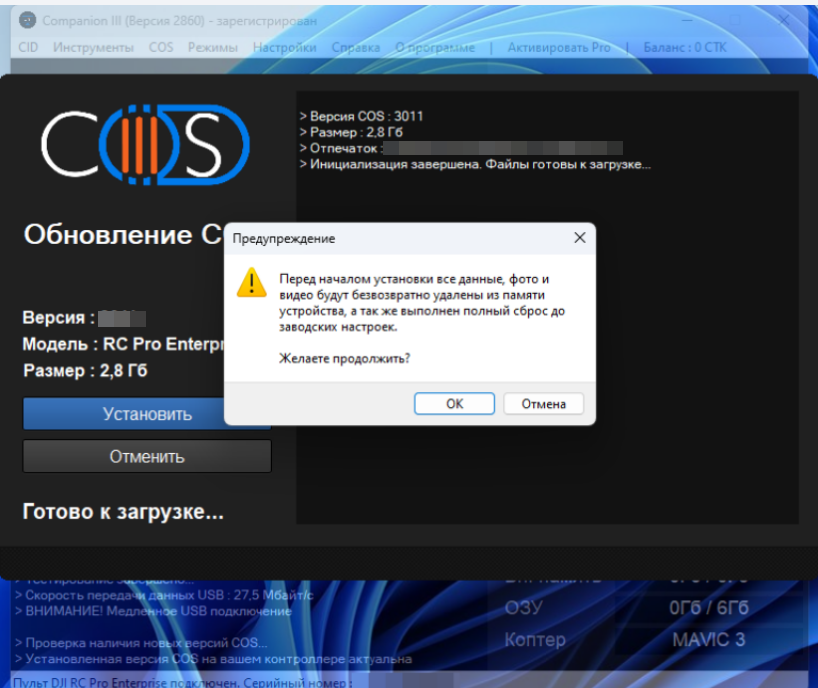
Wait for the installation to finish. The controller's display will turn off, which is normal.
If the controller begins to beep, gently move any control stick to stop the sound.
If the controller begins to beep, gently move any control stick to stop the sound.
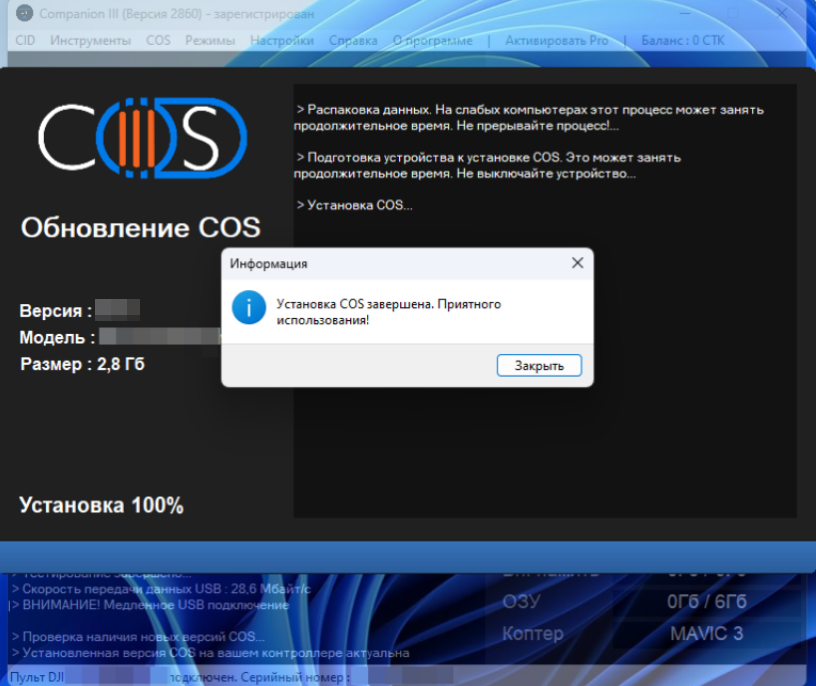
Installation is now complete. You can begin using the ONE system.