WARNING! The controller must be activated before proceeding with the firmware installation
For flashing DJI Smart Controller series, click “Install” or “Update” and follow the on-screen instructions.
Video guide
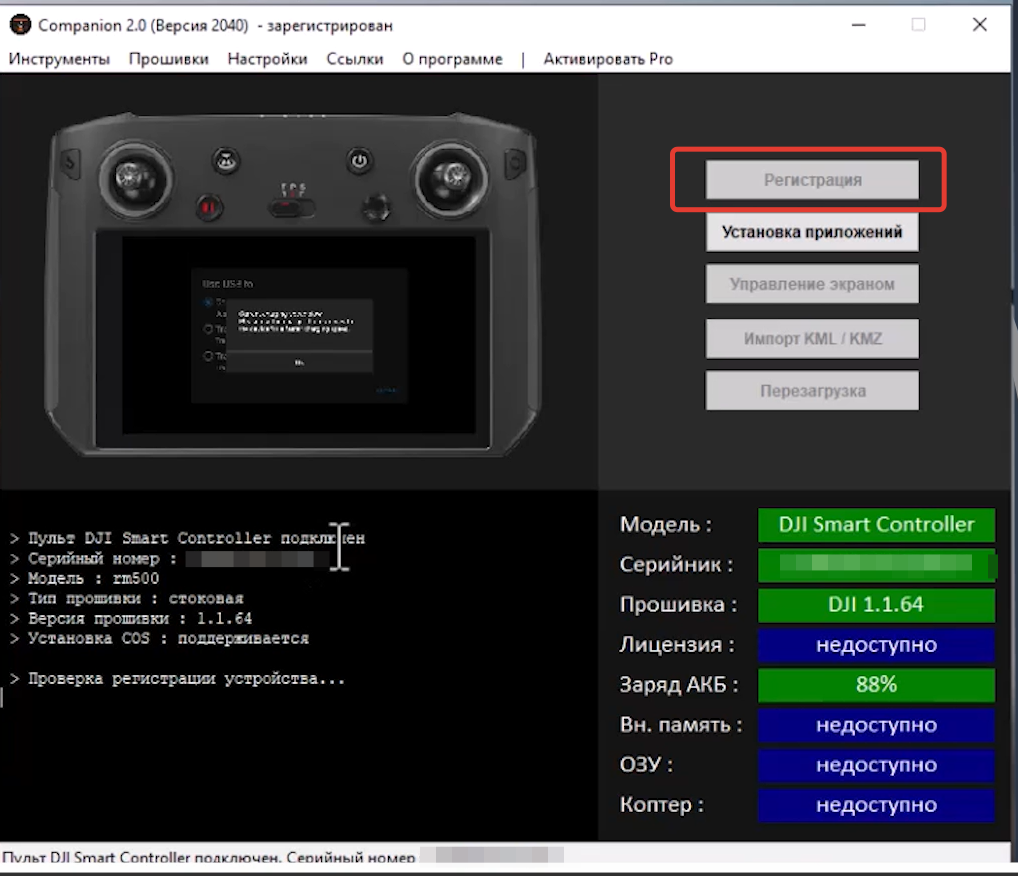
Purchase 2 CTK via our bot @circle_os_store_bot — the CTK balance will update automatically. Launch Companion, connect the controller to your PC, and click the “Register” button.
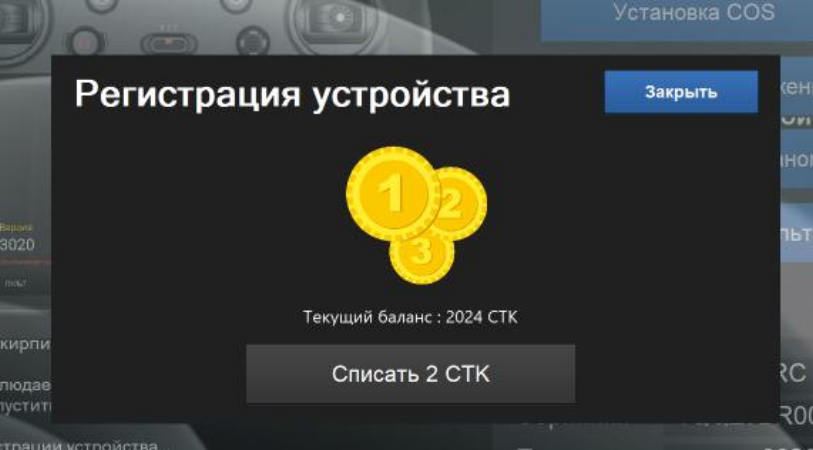
Deduct 2 CTK to register the controller.
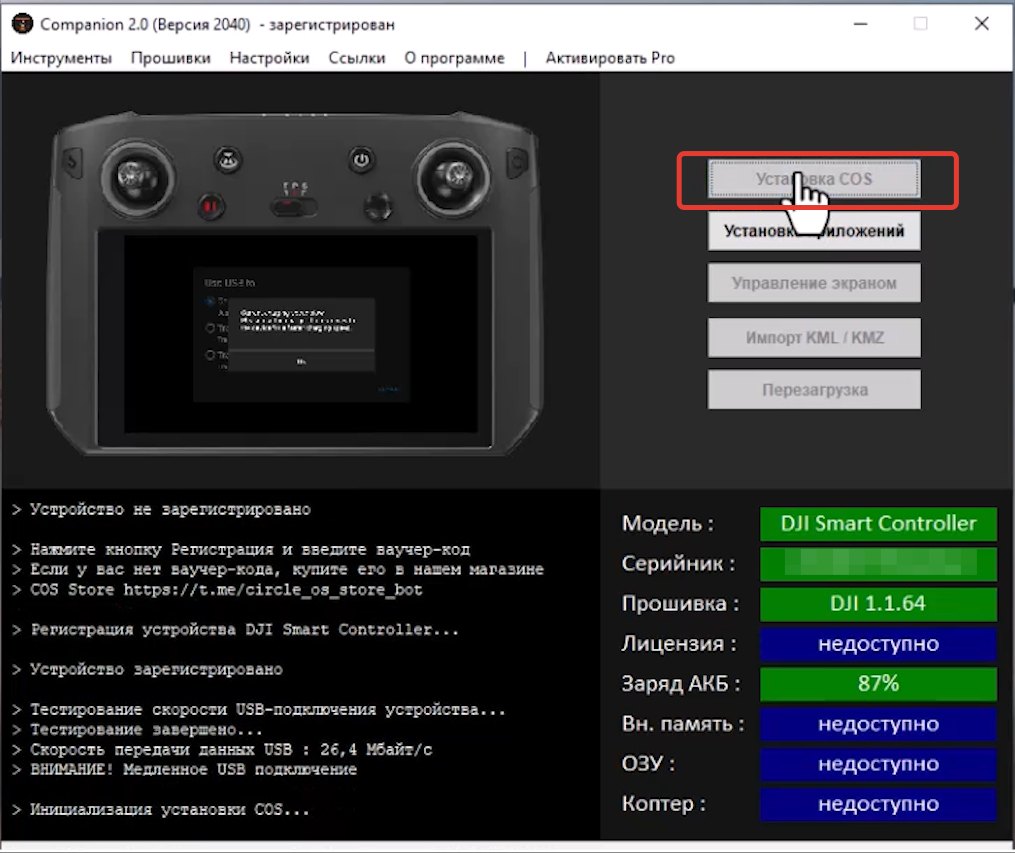
Click the “Install” button.
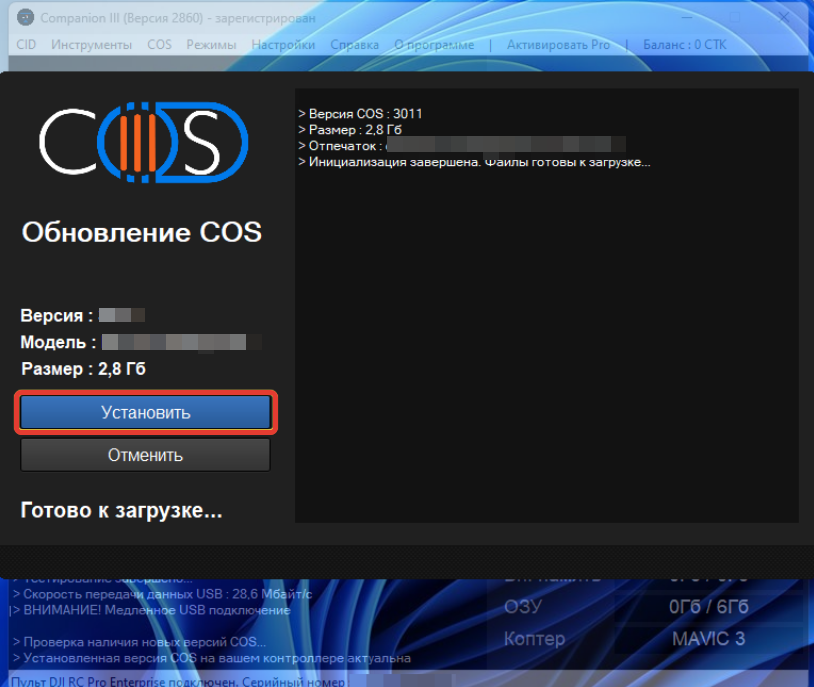
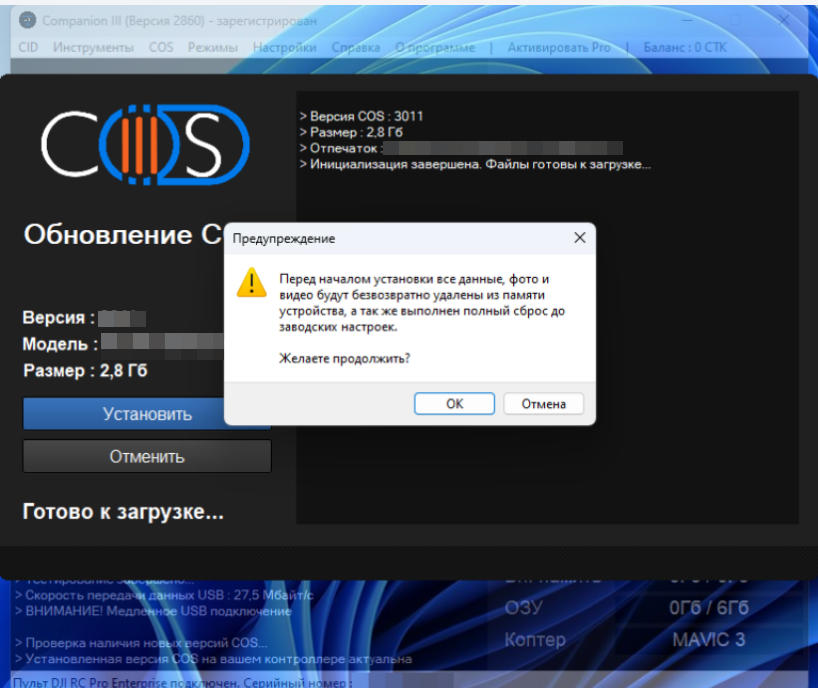
During the installation process, the software will present warnings. It is essential to read and follow these instructions. The installation of ONE will take place in an external program window.
Upon completion of the procedure, the controller will restart automatically.
Upon completion of the procedure, the controller will restart automatically.
If, following the initial restart, the controller remains powered on for an extended period and Companion displays an installation error, please install (or reinstall) the rockusb driver.
Your ONE system is now ready for use!