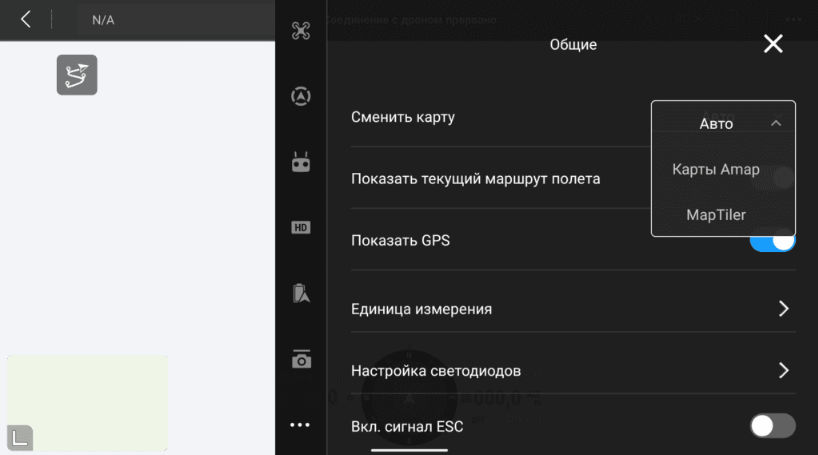
If you encounter an error while loading maps in the DJI Pilot application, you can resolve it by adjusting the map source settings.
After that, close the app completely, reopen it, and set the map source back to "Auto". This usually solves the problem.
After that, close the app completely, reopen it, and set the map source back to "Auto". This usually solves the problem.