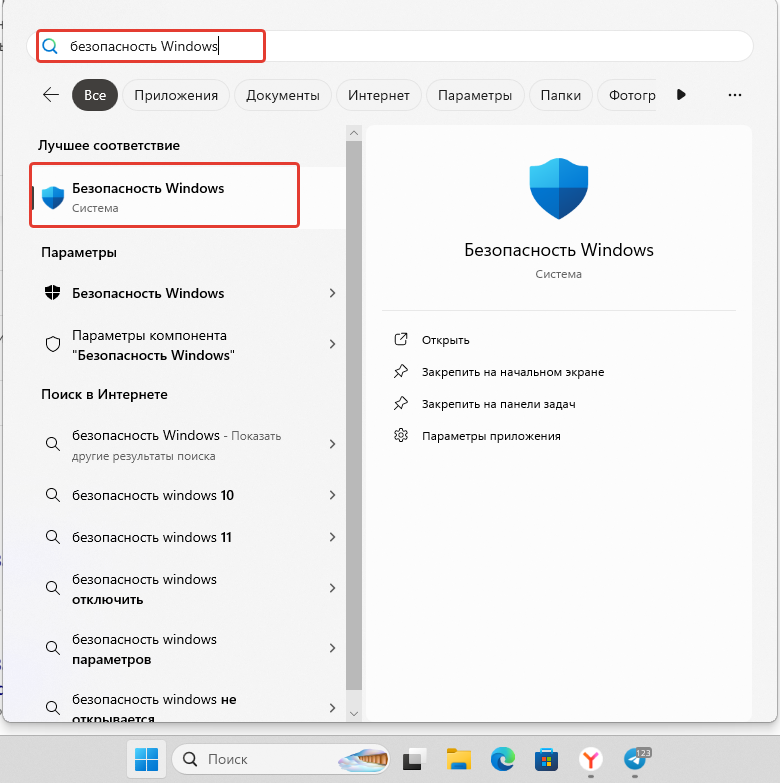
Open the Start menu, type "Windows Security" into the search bar, and launch the application.
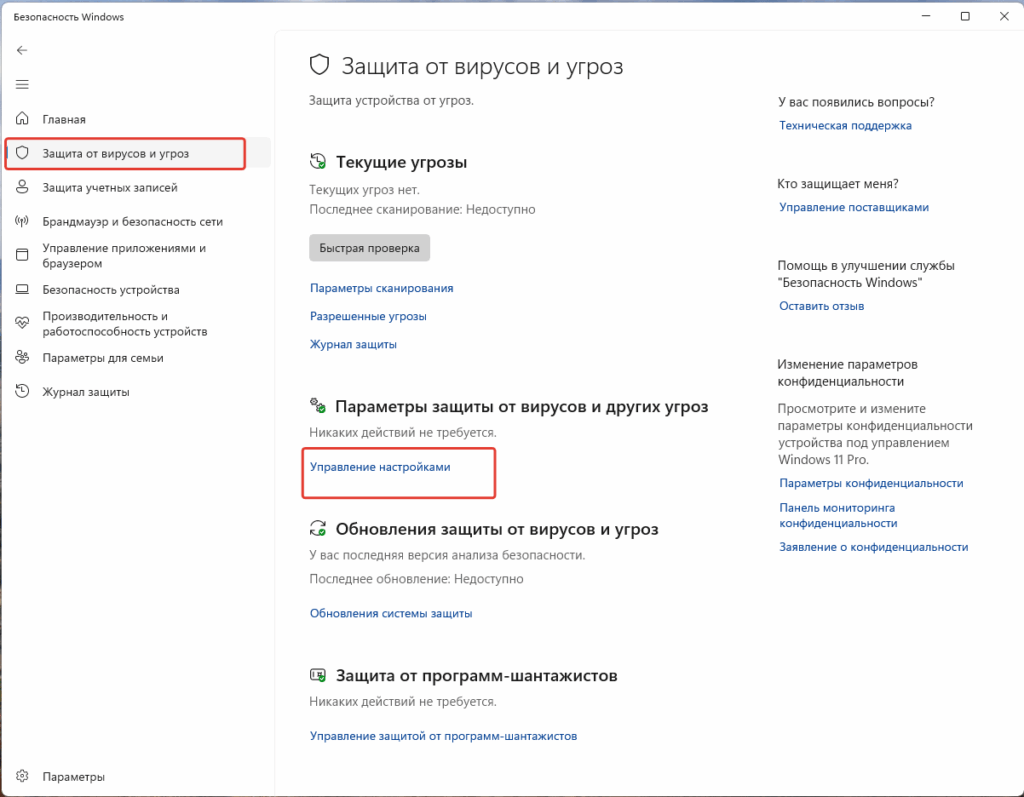
Navigate to "Virus & threat protection" → click "Manage settings" under the "Virus & threat protection settings" section.
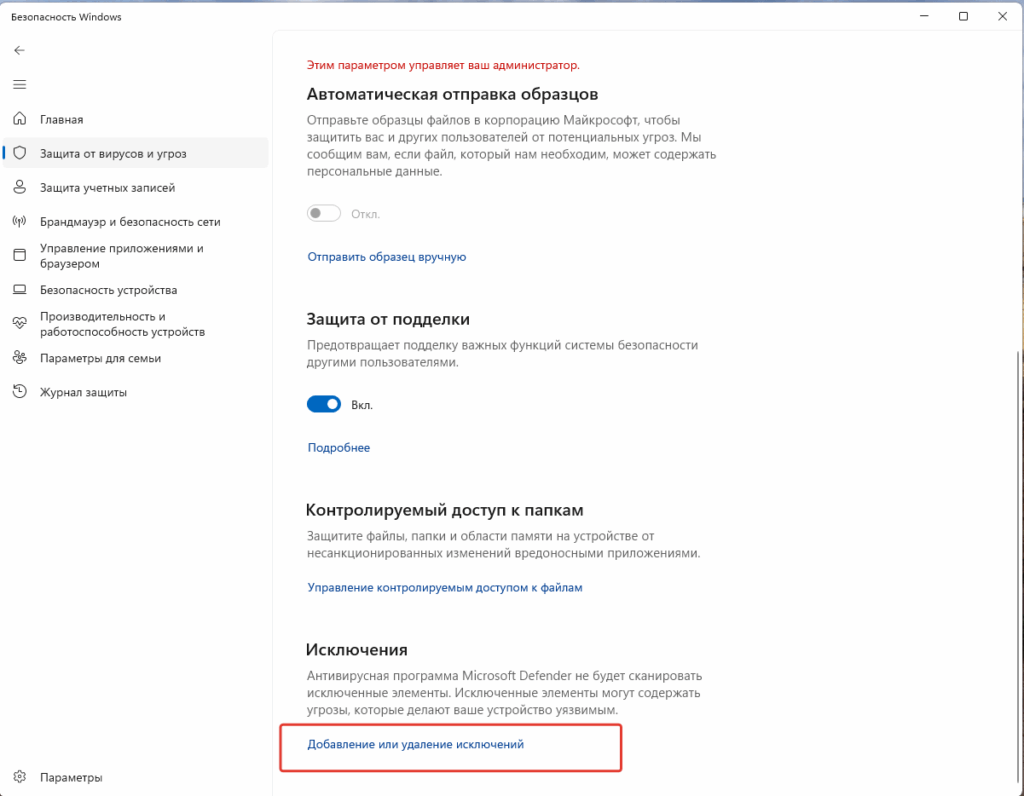
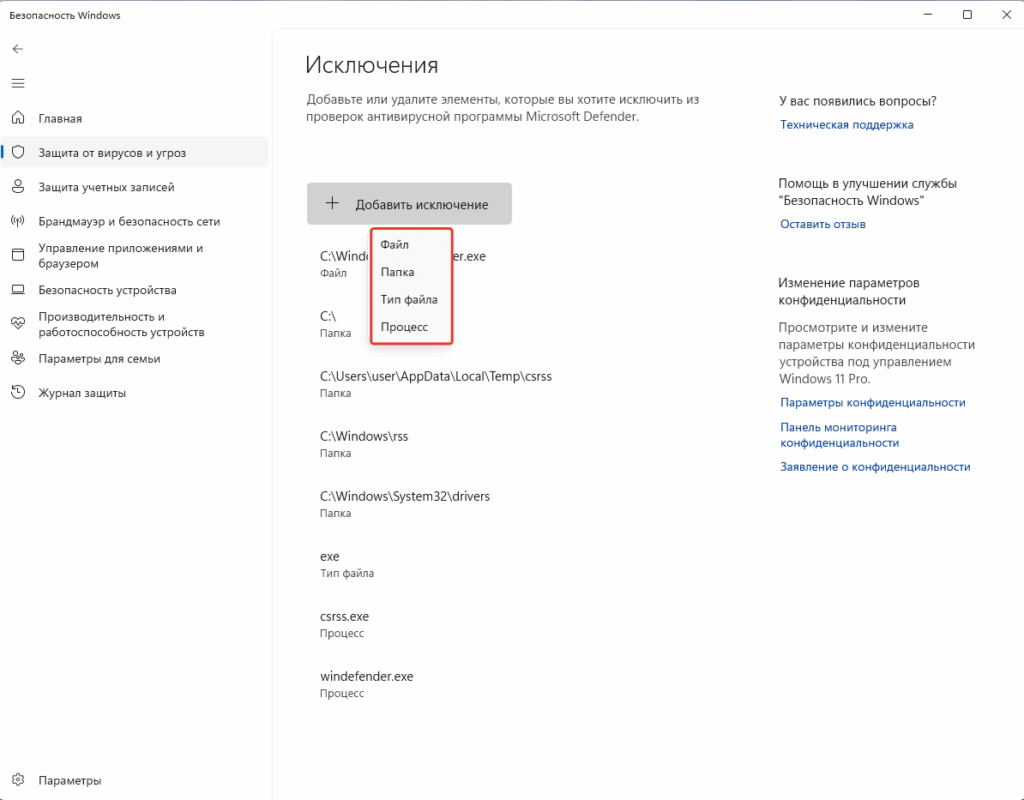
Select “Add or remove exclusions.”
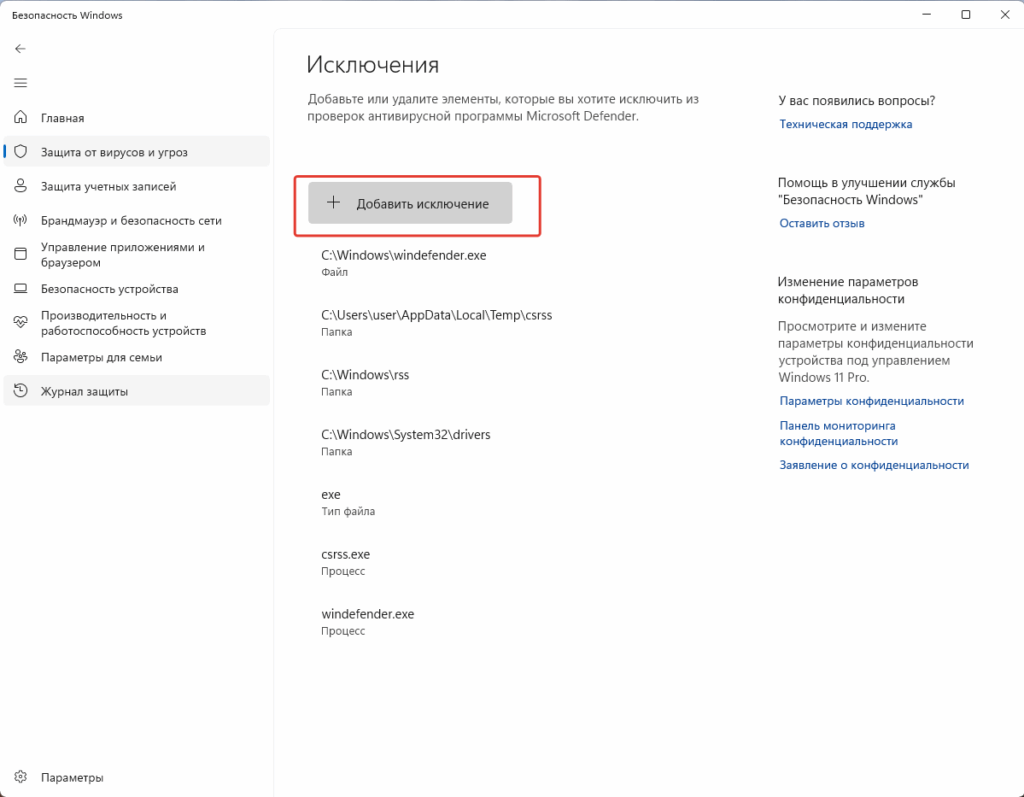
Click “Add an exclusion” → choose “Folder.”
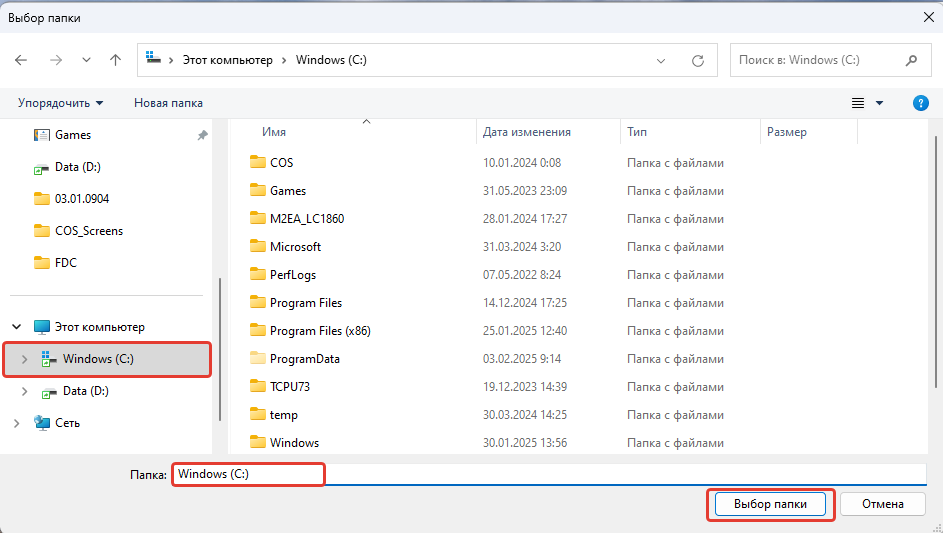
Select Windows (C:) → click “Select Folder.”
All done! Your system drive (C:) has been added.